Hobbytech A4 Water Slide Decal Paper - Laserjet White (5pcs)
Hobbytech A4 Water Slide Decal Paper - Laserjet White - 5pcs
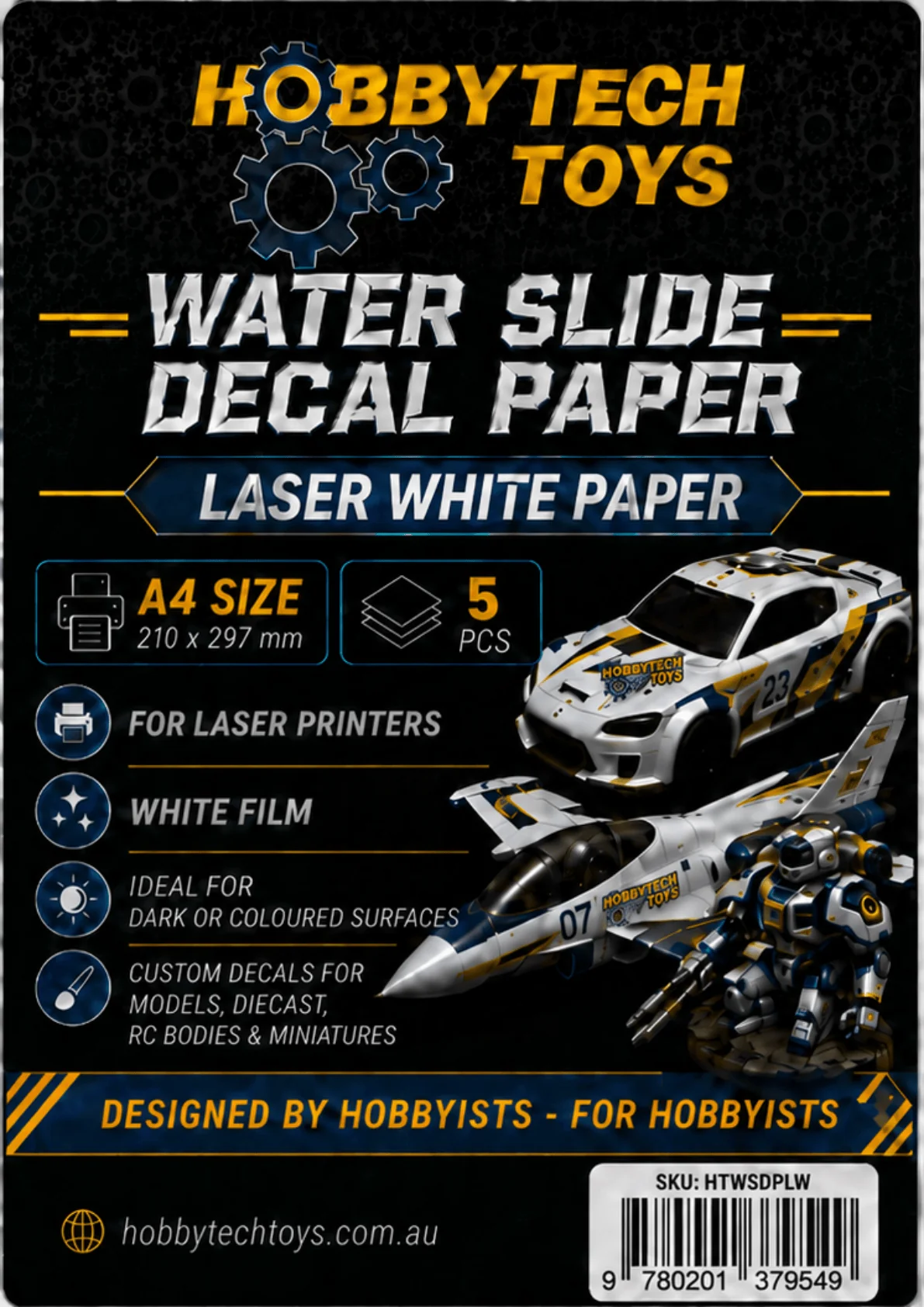
Create your own custom decals at home with Hobbytech A4 Water Slide Decal Paper - Laserjet White. Perfect for scale models, RC bodies, miniatures, dioramas, craft projects, custom signs, model trains, slot cars and more, this decal paper allows you to print crisp, detailed designs using a compatible laser printer.
The white backing makes this paper ideal for applying decals onto darker surfaces or areas where colours need to stand out. Unlike clear decal paper, white water slide paper helps printed colours remain bold and visible, making it a great choice for logos, warning labels, racing numbers, signage, sponsor graphics and custom hobby detailing.
Each pack includes 5 sheets of A4 white laserjet water slide decal paper, giving hobbyists a simple and effective way to personalise models, accessories and display pieces.
Features
- Pack of 5 A4 sheets
- White water slide decal paper
- Designed for use with laser printers
- Ideal for darker surfaces and bold colour designs
- Great for scale models, RC cars, model trains, miniatures, dioramas and crafts
- Perfect for custom logos, numbers, signs, markings and hobby details
- Easy to cut, soak and apply
Usage Instructions
-
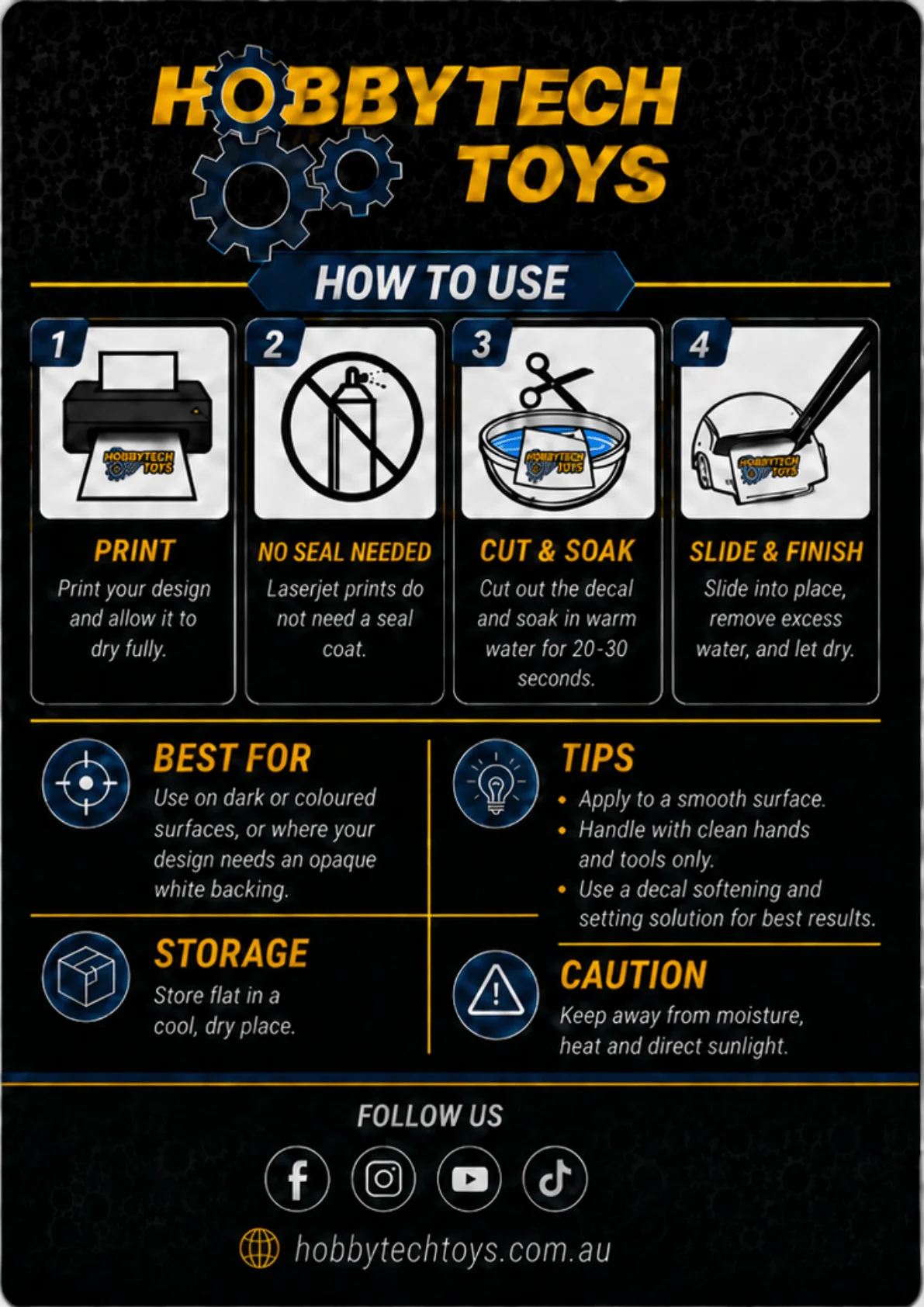
Create your design
Design your decals using your preferred software. Make sure your artwork is correctly sized before printing. -
Print onto the glossy decal side
Load the sheet into your laser printer so the design prints onto the glossy white decal surface. Use standard or high-quality print settings where suitable. -
Allow the print to dry and cool
After printing, let the sheet sit for a few minutes before handling. -
Seal the printed decal
Apply a light coat of clear acrylic spray or decal sealer over the printed sheet. Allow it to dry fully, then apply a second light coat if needed. This helps protect the print during application. -
Cut out your decal
Cut as close to the edge of your design as possible, especially when applying to visible areas. -
Soak in water
Place the decal in clean water for around 20–30 seconds, or until the decal begins to slide away from the backing paper. -
Apply to the surface
Slide the decal carefully into position on your model or project. Use a damp cotton bud, soft brush or tissue to gently remove excess water and air bubbles. -
Let it dry completely
Allow the decal to fully dry before touching or sealing. -
Seal the finished project
For best results, apply a clear top coat over the finished decal once dry. This helps protect it from handling, dust and wear.
Tips for Best Results
- Use white decal paper when applying designs to dark or coloured surfaces.
- Always test print on plain paper first to check size, colour and positioning.
- Cut close to the design edge, as the white film may remain visible around the decal.
- Apply decals to a smooth, clean surface for better adhesion.
- Use a gloss clear coat before applying decals to painted models for easier positioning.
- For complex curves or panel lines, use a decal softener solution to help the decal conform to the surface.
- Avoid touching the printed area with wet fingers during application.
- Let decals dry fully before sealing with a final clear coat.
Important Notes
This product is designed for laser printers only. Do not use with inkjet printers. Printer settings, clear coats and surface finishes can affect the final result, so testing is recommended before applying decals to your finished project.
Product Information
Product Information
Shipping & Returns
Shipping & Returns
Hobbytech A4 Water Slide Decal Paper - Laserjet White (5pcs)
Hobbytech A4 Water Slide Decal Paper - Laserjet White (5pcs)
Hobbytech A4 Water Slide Decal Paper - Laserjet White - 5pcs
Create your own custom decals at home with Hobbytech A4 Water Slide Decal Paper - Laserjet White. Perfect for scale models, RC bodies, miniatures, dioramas, craft projects, custom signs, model trains, slot cars and more, this decal paper allows you to print crisp, detailed designs using a compatible laser printer.
The white backing makes this paper ideal for applying decals onto darker surfaces or areas where colours need to stand out. Unlike clear decal paper, white water slide paper helps printed colours remain bold and visible, making it a great choice for logos, warning labels, racing numbers, signage, sponsor graphics and custom hobby detailing.
Each pack includes 5 sheets of A4 white laserjet water slide decal paper, giving hobbyists a simple and effective way to personalise models, accessories and display pieces.
Features
- Pack of 5 A4 sheets
- White water slide decal paper
- Designed for use with laser printers
- Ideal for darker surfaces and bold colour designs
- Great for scale models, RC cars, model trains, miniatures, dioramas and crafts
- Perfect for custom logos, numbers, signs, markings and hobby details
- Easy to cut, soak and apply
Usage Instructions
-
Create your design
Design your decals using your preferred software. Make sure your artwork is correctly sized before printing. -
Print onto the glossy decal side
Load the sheet into your laser printer so the design prints onto the glossy white decal surface. Use standard or high-quality print settings where suitable. -
Allow the print to dry and cool
After printing, let the sheet sit for a few minutes before handling. -
Seal the printed decal
Apply a light coat of clear acrylic spray or decal sealer over the printed sheet. Allow it to dry fully, then apply a second light coat if needed. This helps protect the print during application. -
Cut out your decal
Cut as close to the edge of your design as possible, especially when applying to visible areas. -
Soak in water
Place the decal in clean water for around 20–30 seconds, or until the decal begins to slide away from the backing paper. -
Apply to the surface
Slide the decal carefully into position on your model or project. Use a damp cotton bud, soft brush or tissue to gently remove excess water and air bubbles. -
Let it dry completely
Allow the decal to fully dry before touching or sealing. -
Seal the finished project
For best results, apply a clear top coat over the finished decal once dry. This helps protect it from handling, dust and wear.
Tips for Best Results
- Use white decal paper when applying designs to dark or coloured surfaces.
- Always test print on plain paper first to check size, colour and positioning.
- Cut close to the design edge, as the white film may remain visible around the decal.
- Apply decals to a smooth, clean surface for better adhesion.
- Use a gloss clear coat before applying decals to painted models for easier positioning.
- For complex curves or panel lines, use a decal softener solution to help the decal conform to the surface.
- Avoid touching the printed area with wet fingers during application.
- Let decals dry fully before sealing with a final clear coat.
Important Notes
This product is designed for laser printers only. Do not use with inkjet printers. Printer settings, clear coats and surface finishes can affect the final result, so testing is recommended before applying decals to your finished project.
Product Information
Product Information
Shipping & Returns
Shipping & Returns
Description
Hobbytech A4 Water Slide Decal Paper - Laserjet White - 5pcs
Create your own custom decals at home with Hobbytech A4 Water Slide Decal Paper - Laserjet White. Perfect for scale models, RC bodies, miniatures, dioramas, craft projects, custom signs, model trains, slot cars and more, this decal paper allows you to print crisp, detailed designs using a compatible laser printer.
The white backing makes this paper ideal for applying decals onto darker surfaces or areas where colours need to stand out. Unlike clear decal paper, white water slide paper helps printed colours remain bold and visible, making it a great choice for logos, warning labels, racing numbers, signage, sponsor graphics and custom hobby detailing.
Each pack includes 5 sheets of A4 white laserjet water slide decal paper, giving hobbyists a simple and effective way to personalise models, accessories and display pieces.
Features
- Pack of 5 A4 sheets
- White water slide decal paper
- Designed for use with laser printers
- Ideal for darker surfaces and bold colour designs
- Great for scale models, RC cars, model trains, miniatures, dioramas and crafts
- Perfect for custom logos, numbers, signs, markings and hobby details
- Easy to cut, soak and apply
Usage Instructions
-
Create your design
Design your decals using your preferred software. Make sure your artwork is correctly sized before printing. -
Print onto the glossy decal side
Load the sheet into your laser printer so the design prints onto the glossy white decal surface. Use standard or high-quality print settings where suitable. -
Allow the print to dry and cool
After printing, let the sheet sit for a few minutes before handling. -
Seal the printed decal
Apply a light coat of clear acrylic spray or decal sealer over the printed sheet. Allow it to dry fully, then apply a second light coat if needed. This helps protect the print during application. -
Cut out your decal
Cut as close to the edge of your design as possible, especially when applying to visible areas. -
Soak in water
Place the decal in clean water for around 20–30 seconds, or until the decal begins to slide away from the backing paper. -
Apply to the surface
Slide the decal carefully into position on your model or project. Use a damp cotton bud, soft brush or tissue to gently remove excess water and air bubbles. -
Let it dry completely
Allow the decal to fully dry before touching or sealing. -
Seal the finished project
For best results, apply a clear top coat over the finished decal once dry. This helps protect it from handling, dust and wear.
Tips for Best Results
- Use white decal paper when applying designs to dark or coloured surfaces.
- Always test print on plain paper first to check size, colour and positioning.
- Cut close to the design edge, as the white film may remain visible around the decal.
- Apply decals to a smooth, clean surface for better adhesion.
- Use a gloss clear coat before applying decals to painted models for easier positioning.
- For complex curves or panel lines, use a decal softener solution to help the decal conform to the surface.
- Avoid touching the printed area with wet fingers during application.
- Let decals dry fully before sealing with a final clear coat.
Important Notes
This product is designed for laser printers only. Do not use with inkjet printers. Printer settings, clear coats and surface finishes can affect the final result, so testing is recommended before applying decals to your finished project.